 30 DAYS MONEY BACK GUARANTEE
100% refund if you are not satisfied
30 DAYS MONEY BACK GUARANTEE
100% refund if you are not satisfied




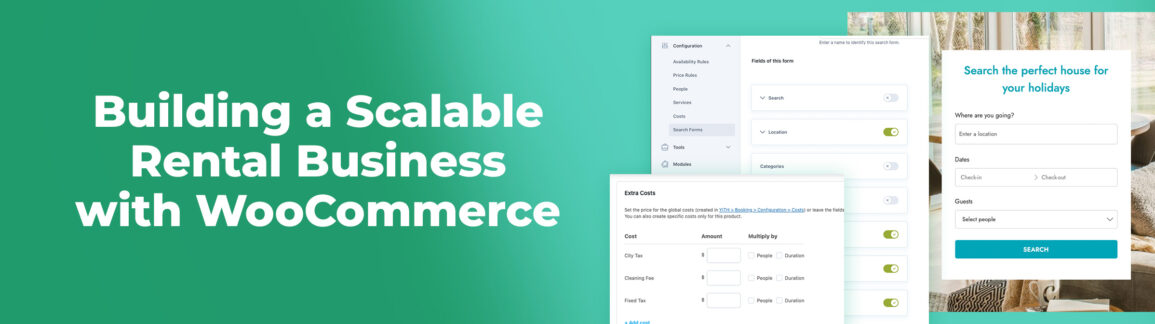
Today, more and more rental entrepreneurs (in hospitality, real estate, car rentals, equipment hire, and more) are growing tired of the heavy constraints imposed by SaaS platforms like Booking.com and Airbnb. These platforms come with steep commissions—often up to 20%—and rigid rules that can seriously limit business growth.
As a result, many are looking for alternatives that allow them to regain control over their rentals and improve their profit margins.
Luckily, there’s a free and powerful solution: the open-source platforms WordPress and WooCommerce. Together, they can become an ideal system for renting out properties, products, or services.
All you need is to tailor these CMSs with one or two dedicated plugins.
In this article, we’ll walk through how to set up this kind of online store in just a few clicks—saving 15–20% on every booking (on €50,000 in revenue, that’s up to €10,000 lost to commissions) and gaining full control over the entire booking process, with no external rules or limitations.
This approach gives you the freedom to scale your business, reinvest more effectively, and diversify—at a time when customers increasingly value personalized experiences and more human interactions than those offered by platforms like Booking.com.
Table of contents
A Five-Star Service
The main plugin we’ll be using today is YITH WooCommerce Booking, which allows you to turn a traditional online store into a fully functional booking system.
Standard WooCommerce stores work in a very straightforward way: a product is purchased, and its stock level (if enabled) goes down. Bookings, however, follow a completely different logic—and that’s exactly where a booking plugin comes in.
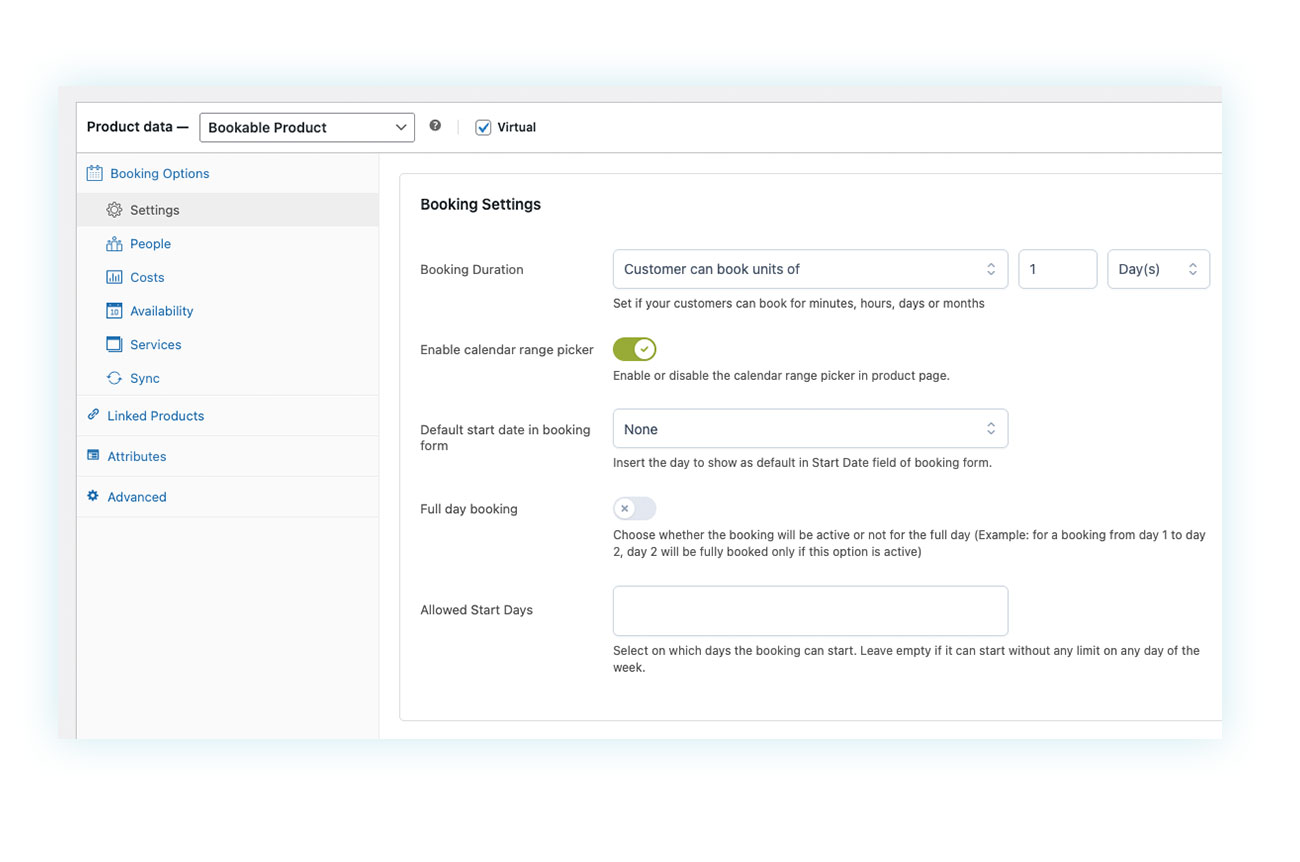
Advanced functionality usually comes at a cost, and there are plenty of alternatives available online. That said, it’s crucial to make sure they include all the features you actually need—something YITH Booking does particularly well.
For example, a booking system must support time slots that can cover different booking units. With this plugin, the seller can choose between:
- Months – Ideal for mid-term rentals such as homes, cars, boats, equipment, or services
- Days – Perfect for short-term rentals like holiday homes, rooms, and similar
- Hours – Great for coworking spaces and services provided during the day
- Minutes – Useful for booking services like consultations or appointments
But that’s not all. A solid booking plugin must also offer advanced pricing rules. For instance, when renting out a room, it’s often necessary to include:
- Additional fees – Such as tourist taxes, cleaning fees, or other mandatory charges
- Cumulative discounts – For longer stays or last-minute bookings
- High and low season pricing – The cost of a room, house, or even other products and services can vary significantly depending on the time of year
This plugin lets you handle all of that and define as many advanced pricing rules as you need.
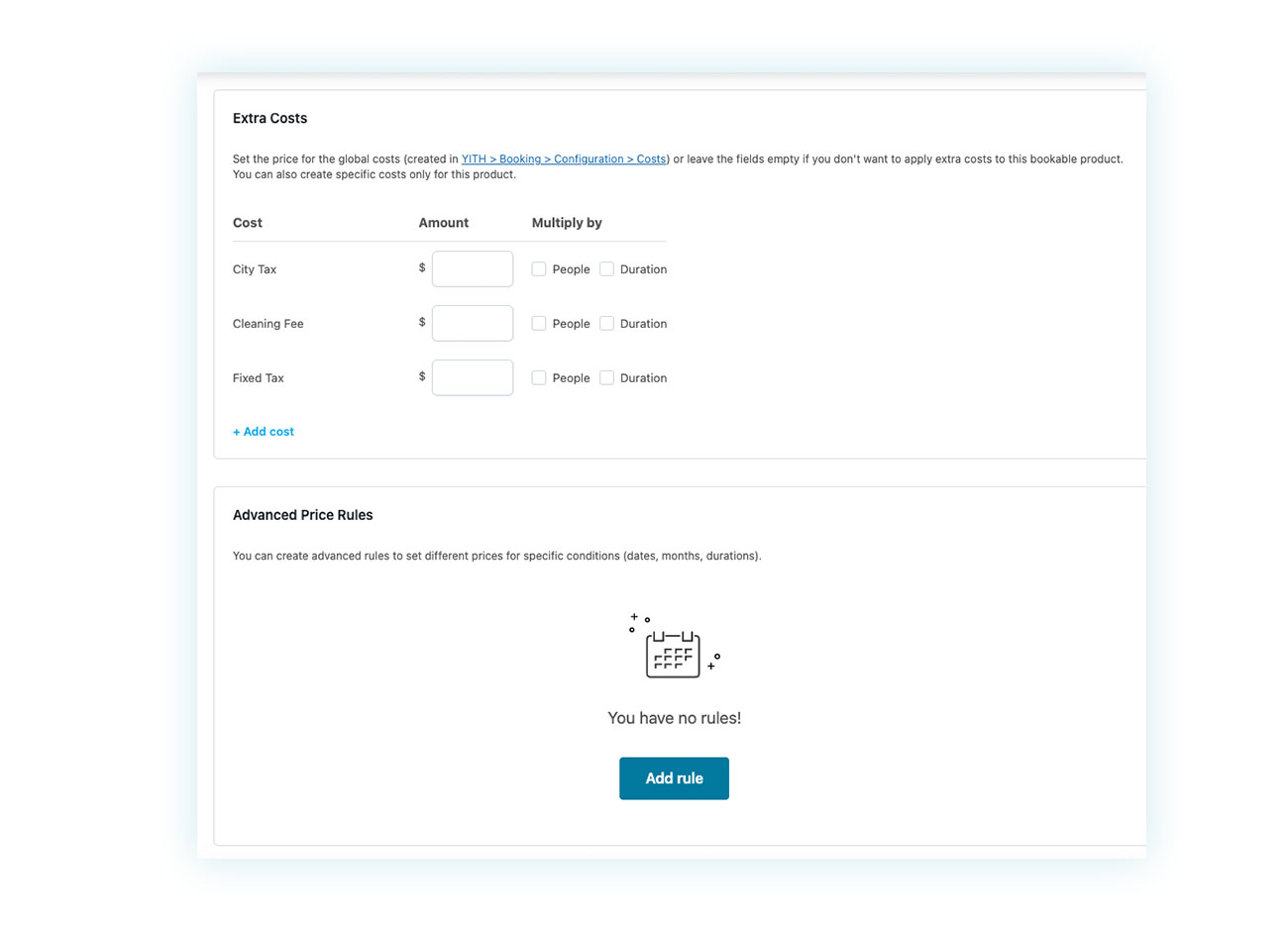
There are many other features worth mentioning, but these two are among the most commonly missing in cheaper booking plugins—and often the most critical for running a professional rental business.
Overbooking: Watch Out for Synchronization
If you move your entire business to your new online store, you won’t run into any overbooking issues. Problems usually arise when you also accept bookings through external platforms like Booking.com or Airbnb.
That’s understandable, especially in the early stages of your store, when you may want to keep an existing sales channel that’s already performing well.
The plugin does allow you to sync the WooCommerce calendar with the iCal calendars of these platforms, directly from the product page.
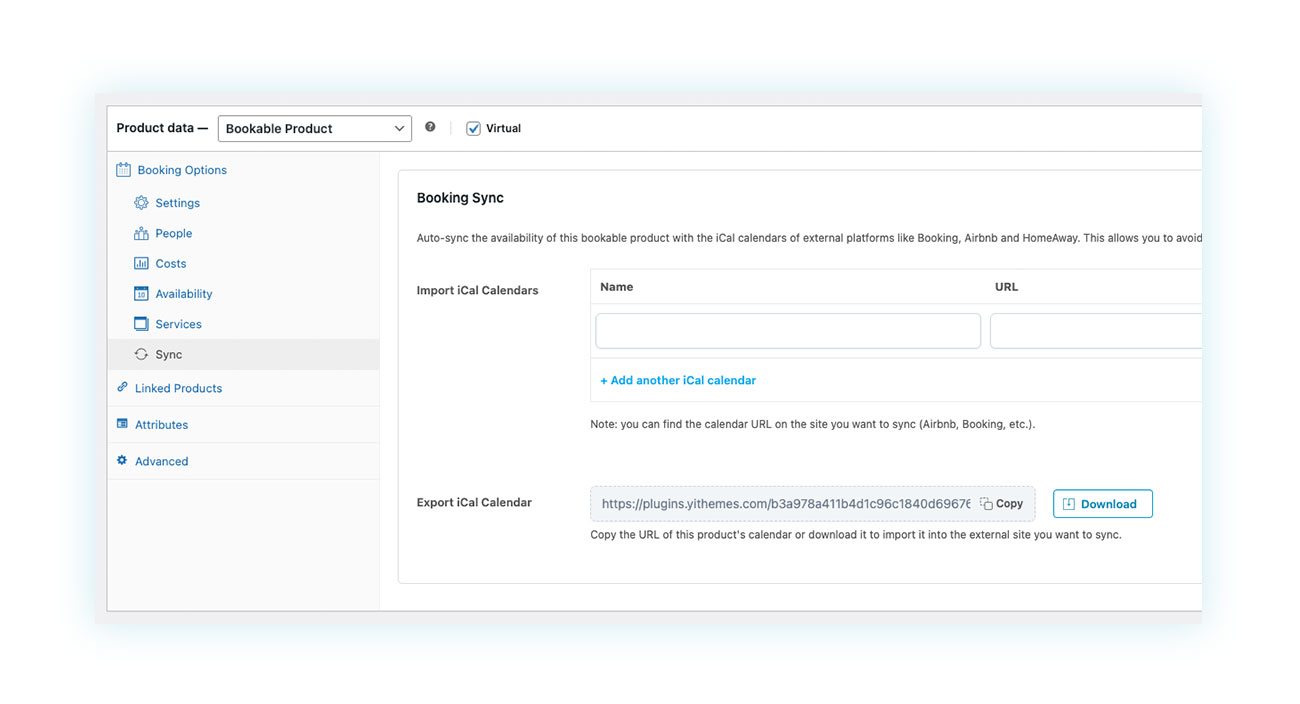
However, there’s an important limitation to keep in mind: iCal synchronization cannot happen more frequently than every 30 minutes.
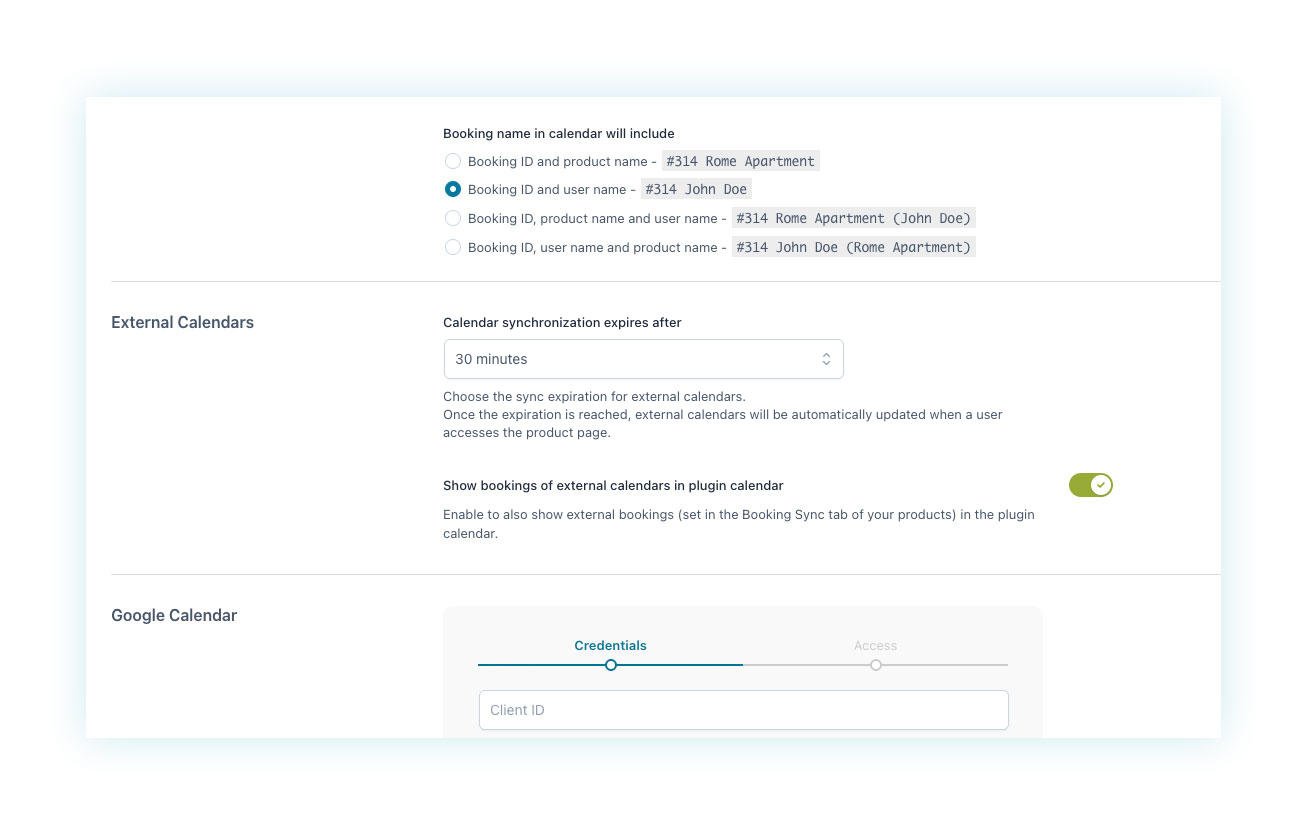
Because of this, WooCommerce is a great solution for businesses with lower booking volumes, for those that require manual approval, or for anyone managing all reservations directly within WooCommerce.
In other cases, you’ll need a global channel manager that acts as a bridge between the different platforms.
UX and Conversion – The Search Form
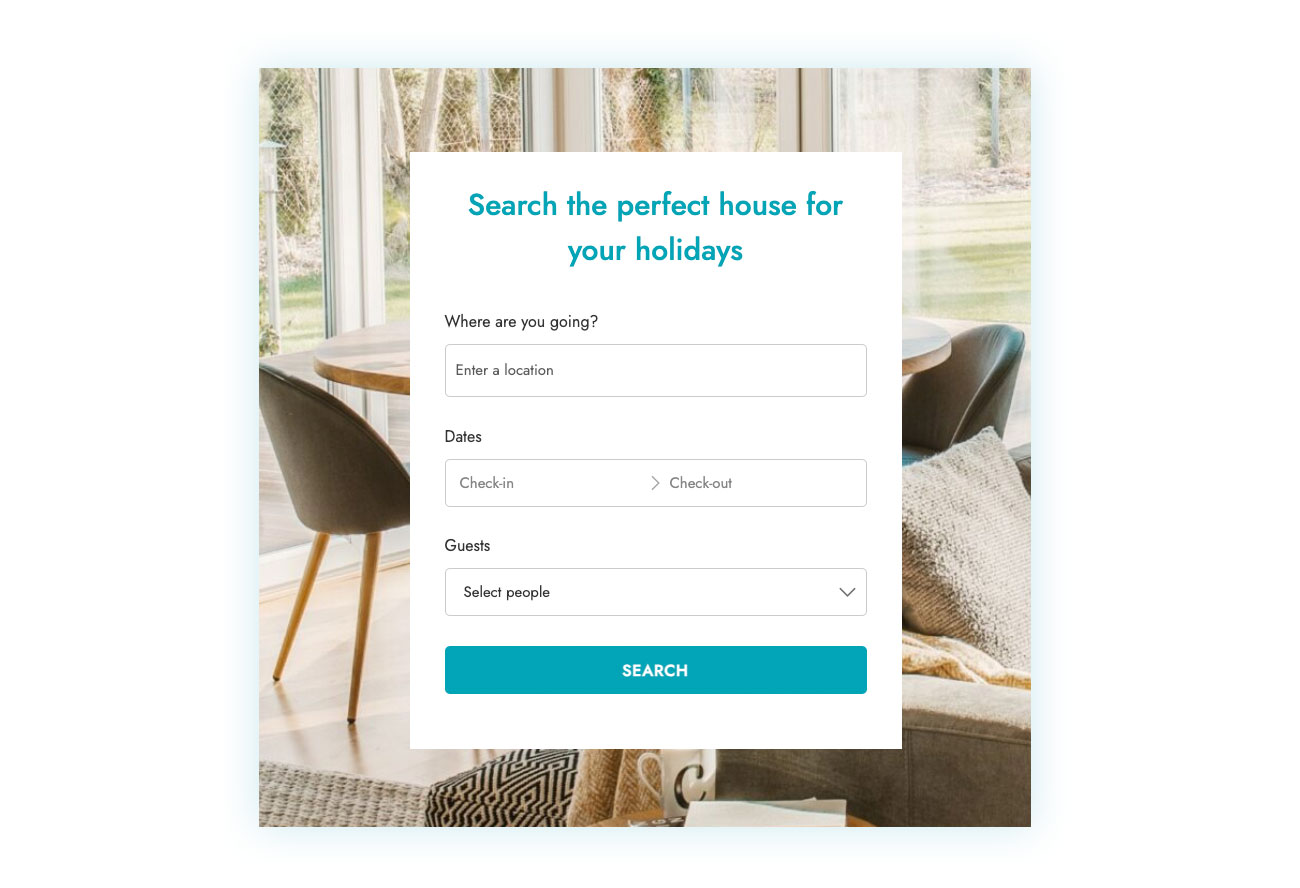
Airbnb’s search form is its number-one conversion driver. WooCommerce’s default date handling, on the other hand, is pretty terrible. Luckily, the plugin comes to the rescue here as well. Among the modules you can enable in its control panel is the Search Form, which lets you create a custom search experience for your customers.
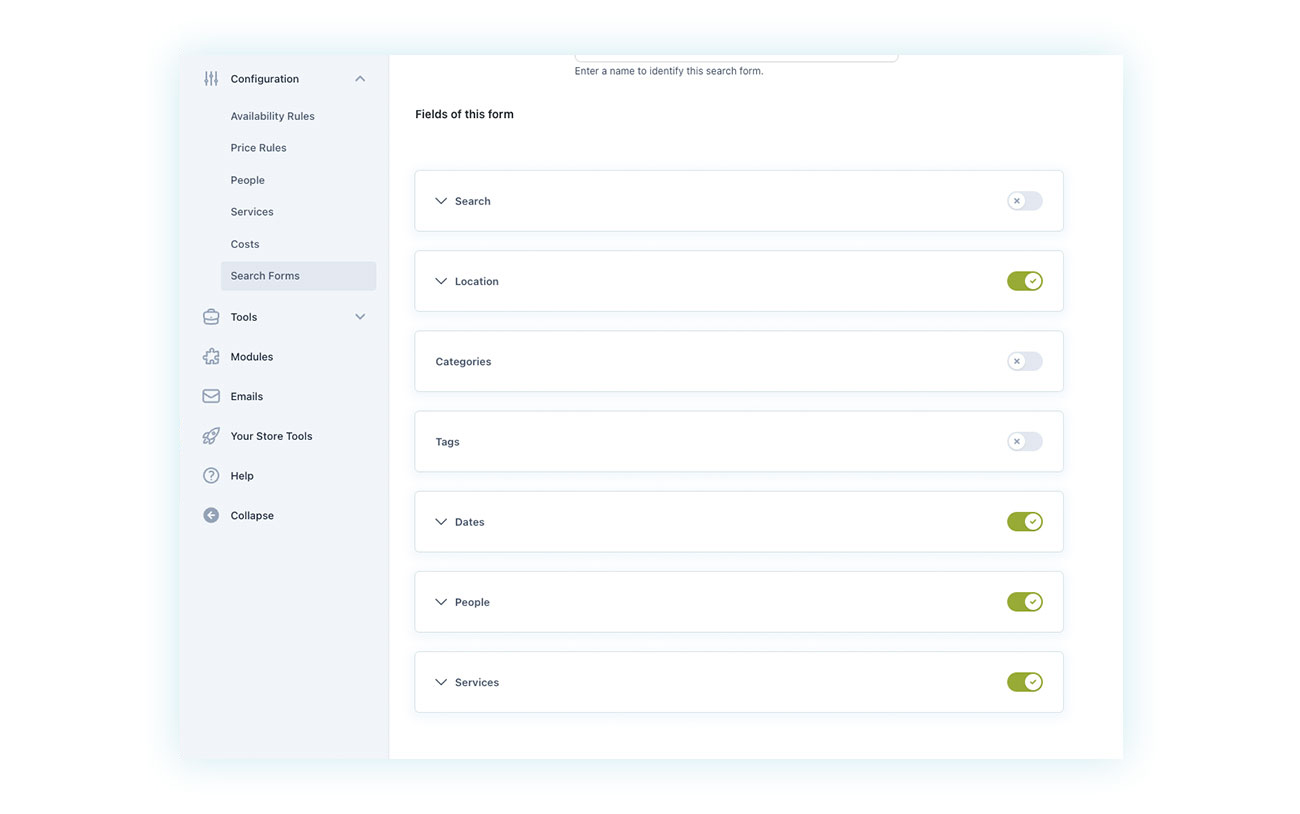
Within the settings panel, you can choose which booking criteria users can filter by. Location, dates, and number of guests are almost mandatory, but options like pet-friendly or private parking can also be key decision-makers in a search.
This is how the form will appear to end users.
This shows how a single plugin can completely transform your online store. And while this step is essential, it’s only the beginning. You can take things even further to strengthen your business and stay one step ahead of the competition.
Let’s see how.
Bonus Step: Protect Your Assets with Security Deposits and Down Payments
One of the biggest challenges in the booking industry is renting out high-value assets such as bikes, cars, motorbikes, boats, and even properties. While this kind of business can be very profitable, the higher the value of what you’re renting out, the greater the risk.
The main issues are damage and no-shows—people who book but never turn up, costing you both time and money.
So how do you solve this problem? By using another plugin that integrates seamlessly with YITH WooCommerce Booking: YITH WooCommerce Deposits / Down Payments.
This plugin lets you introduce a security deposit system, meaning the customer pays a percentage of the total amount upfront, with the remaining balance paid later (usually closer to the booking date). This feature is commonly used for pre-orders, where a deposit helps ensure the purchase will actually be completed.
The good news is that, since it’s developed by the same team behind the Booking plugin, Deposits integrates perfectly with it. More specifically, it allows you to add a deposit to the booking balance that is automatically charged X days before the reservation—similar to how Booking.com works, where a guest can book a month in advance and have the amount charged at a later date.
In addition to reducing the risk of no-shows, deposits also improve conversion rates, since customers don’t have to pay the full amount upfront at the time of booking.
Are you a property owner or an entrepreneur?
At this point, the real question is no longer technical—it’s strategic: do you want to simply fill calendars, or do you want to build a solid, scalable business that you truly own?
Platforms like Airbnb and Booking.com are great early-stage accelerators, but they remain intermediaries. They set the rules, charge high commissions, and prevent you from building a direct relationship with your customers. In other words, they give you visibility—but not an asset. As long as you depend on them, your business is never fully under your control.
Building a rental platform with WordPress and WooCommerce represents a real identity shift: from property manager to digital entrepreneur. It means controlling pricing, data, customers, rules, and payment flows. It means reinvesting the 15–20% you used to give away in commissions into marketing, better experiences, and differentiation. It means being able to grow without asking anyone for permission.
With plugins like YITH WooCommerce Booking and Deposits, you have all the tools you need to compete—even functionally—with the big marketplaces, while still retaining full ownership of your business.
If you want your rental activity to remain a side project, keep using SaaS platforms.
If you want to build a real company, start building your own platform.
👉 Start creating your own digital asset today. Discover YITH Booking.