 30 DAYS MONEY BACK GUARANTEE
100% refund if you are not satisfied
30 DAYS MONEY BACK GUARANTEE
100% refund if you are not satisfied




You’ve made your site better, made your search system more efficient, used quality articles to bring customers to your portal, and finally achieved your goal: the customer adds a product to their cart.
You might think you’re all set, but think again. Nearly 70% of potential customers abandon their cart before completing the purchase. That’s a huge number that has a big impact on your revenue and conversion rate.
There are a few reasons why this might happen. Maybe the checkout process could be improved, or there’s an error that’s making it hard for potential customers to complete their purchase. But in most cases, it can be summed up in one word: “indecision.”
Many customers postpone their purchase for a number of reasons, and only a few of them return to complete it later. What’s the best way to up your conversion rate? To turn that “later” into “now,” you need psychology. And a whole series of tricks.
From emails to recover abandoned carts to plugins that make checkout easier. We’ve talked about both of these methods in other articles, and we’ve got solutions like YITH WooCommerce Recover Abandoned Cart (to recover abandoned carts) and YITH WooCommerce Checkout Manager (to modify and simplify checkout).
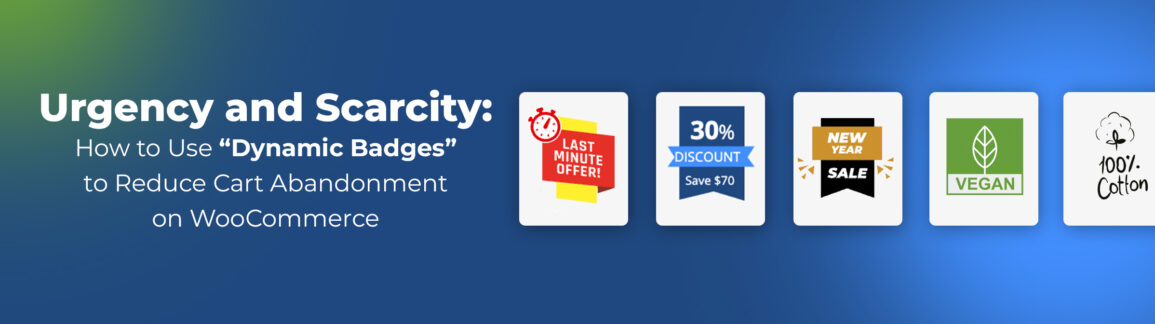
Today, we’re offering you another piece of the puzzle: a third tool that can boost your sales. Studies show that using WooCommerce product badges can increase conversions by up to 55%. That’s why, as we move forward, you’ll see how to use YITH WooCommerce Badge Management to create mental triggers of urgency (limited time) and scarcity (limited quantity) that push for immediate purchase.
If you have a store built with WordPress and WooCommerce, these tools might be exactly what you need.
Table of contents
- Beyond the Simple “On Sale”: Why Badges Work
- Strategy 1: The Principle of Scarcity (Low Stock Badge)
- Strategy 2: The Lever of Temporal Urgency (Scheduling)
- Strategy 3: The Tangibility of Savings (Advanced Badges)
- Strategy 4: Leveraging Complex Promotions (Dynamic Pricing Integration)
- Strategy 5: Visual Targeting for Specific Niches (Categories and Tags)
- Total Customization: Stand Out from the Crowd
- Conclusion: Automate your eCommerce Sales
Beyond the Simple “On Sale”: Why Badges Work
It might seem like a small detail, but adding custom badges to your product images can actually make a huge difference. The brain processes images up to 60,000 times faster than text.
That’s why showing a crossed-out price and a badge that says “save $20” can lead to very different results, even though the information is the same.
In this article, we’ll show you how to use advanced badges with the YITH WooCommerce Badge Management plugin to make a big difference on your store page.
Strategy 1: The Principle of Scarcity (Low Stock Badge)
This strategy and the next one are based on the same idea, which is the Principle of Scarcity that Robert Cialdini came up with. The idea of scarcity has been around for ages and in every aspect of life. Just look at all the marketing strategies that rely on a limited number of products or time.
Putting limits on these things can trigger FOMO (fear of missing out) in potential customers, speeding up and smoothing out that period of indecision during the purchasing process. If a promotion is about to end, either because the stock is running out or because the timeframe has run out, I’m even more eager to take advantage of it.
We’ll use this for our product badges.
How to do it with YITH:
YITH plugins are designed to add advanced features without making things more complicated for the seller. They include a wide range of automated functions, like this one.
The Badge Management plugin allows you to set rules to control how it acts, like when and which badges to show:
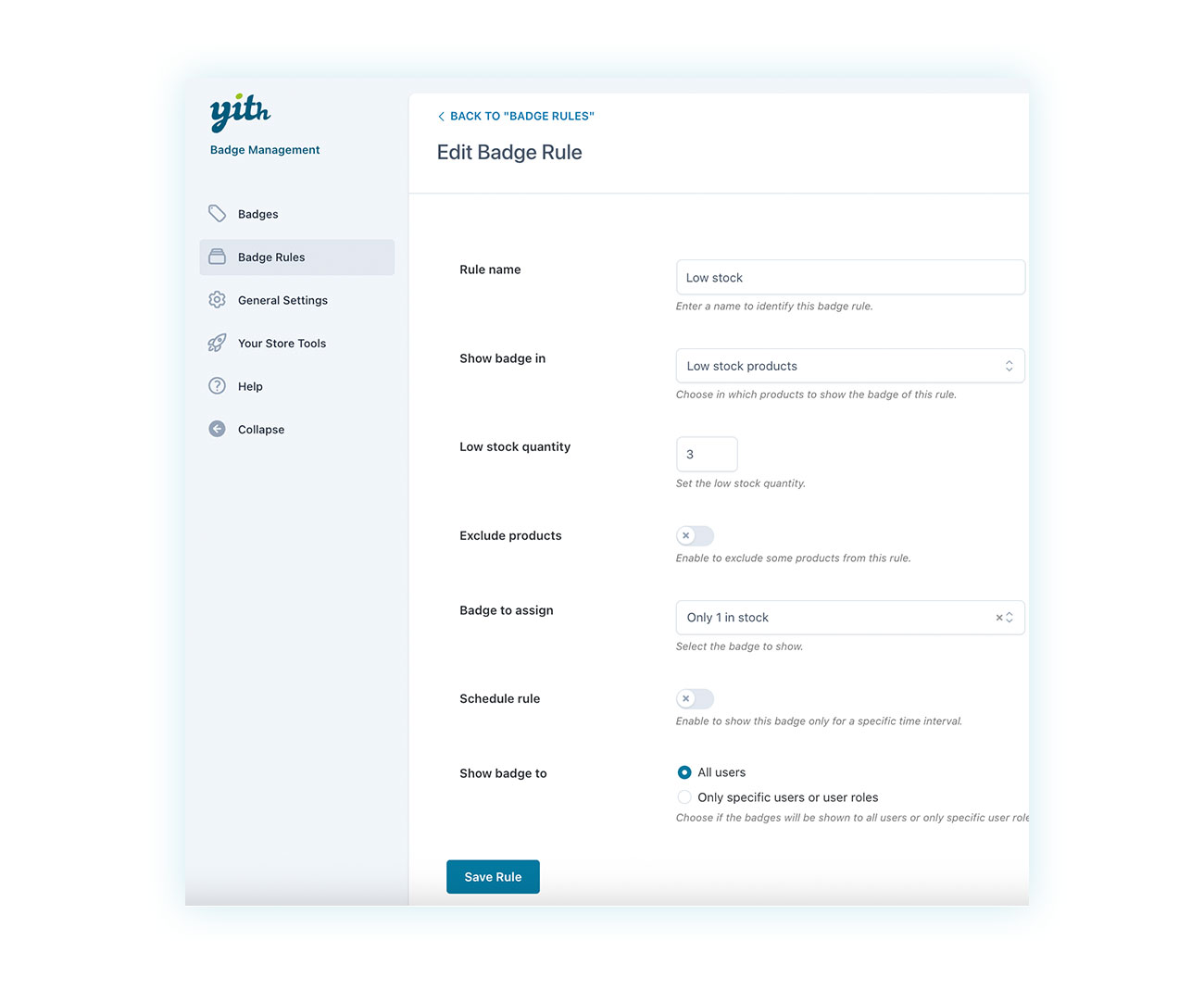
In the example above, we chose to display the badge when the number of products in stock falls below a certain threshold. Here’s how they’ll look in the store:
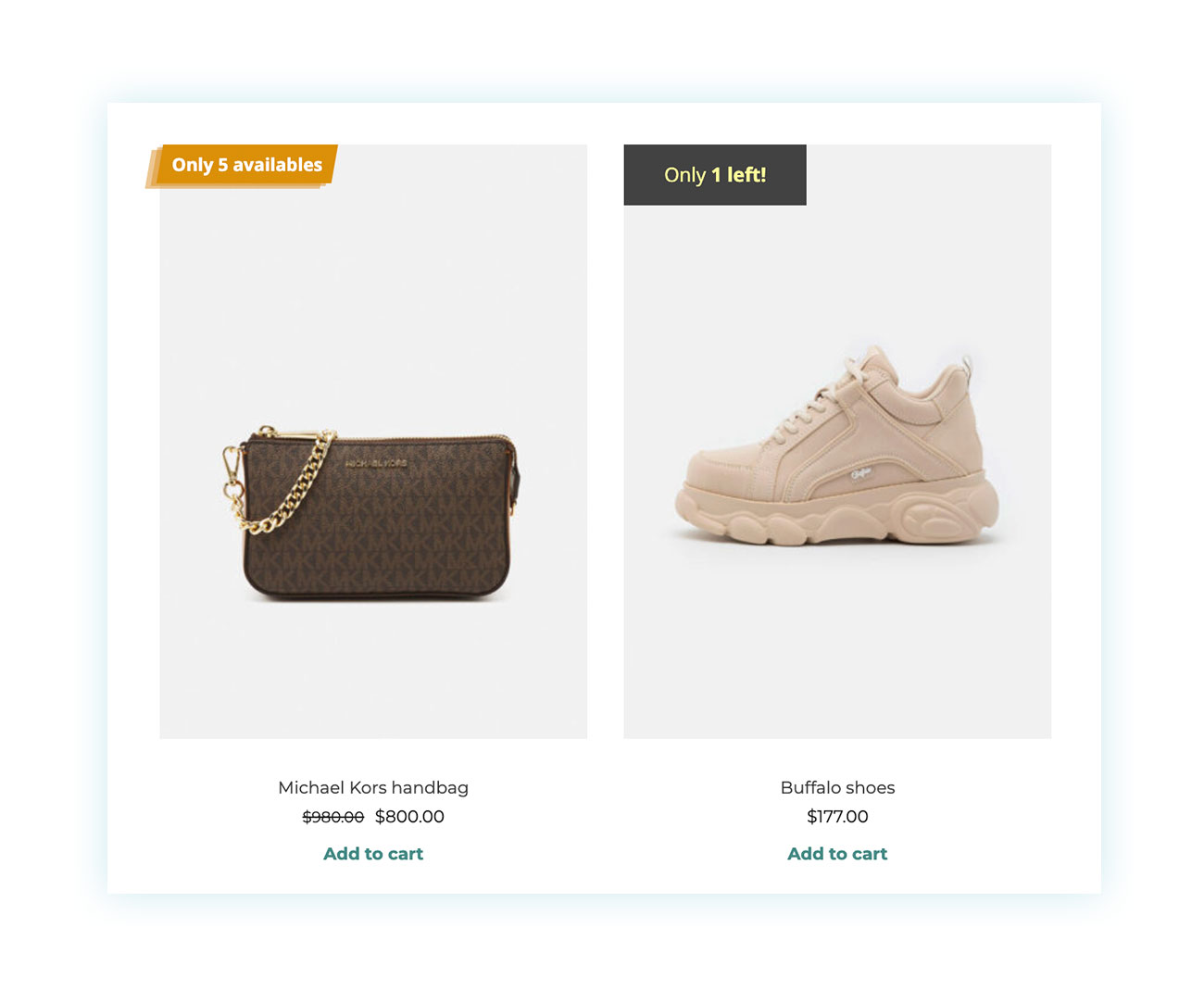
The plugin automates the process: when stock levels drop, the badge appears automatically, signaling the visual emergency and encouraging purchase.
Strategy 2: The Lever of Temporal Urgency (Scheduling)
As we mentioned earlier, Robert Cialdini’s principles are known for having a lot of applications, and the Principle of Scarcity is one of the most effective. Scarcity can be triggered by a limited number of products or a time limit.
That’s why you can get great results by creating flash promotions that are only around for a short time.
To do this, just create a rule with a time schedule. You could create an offer on the last day of the month, on the weekend, for Black Friday, and much more:
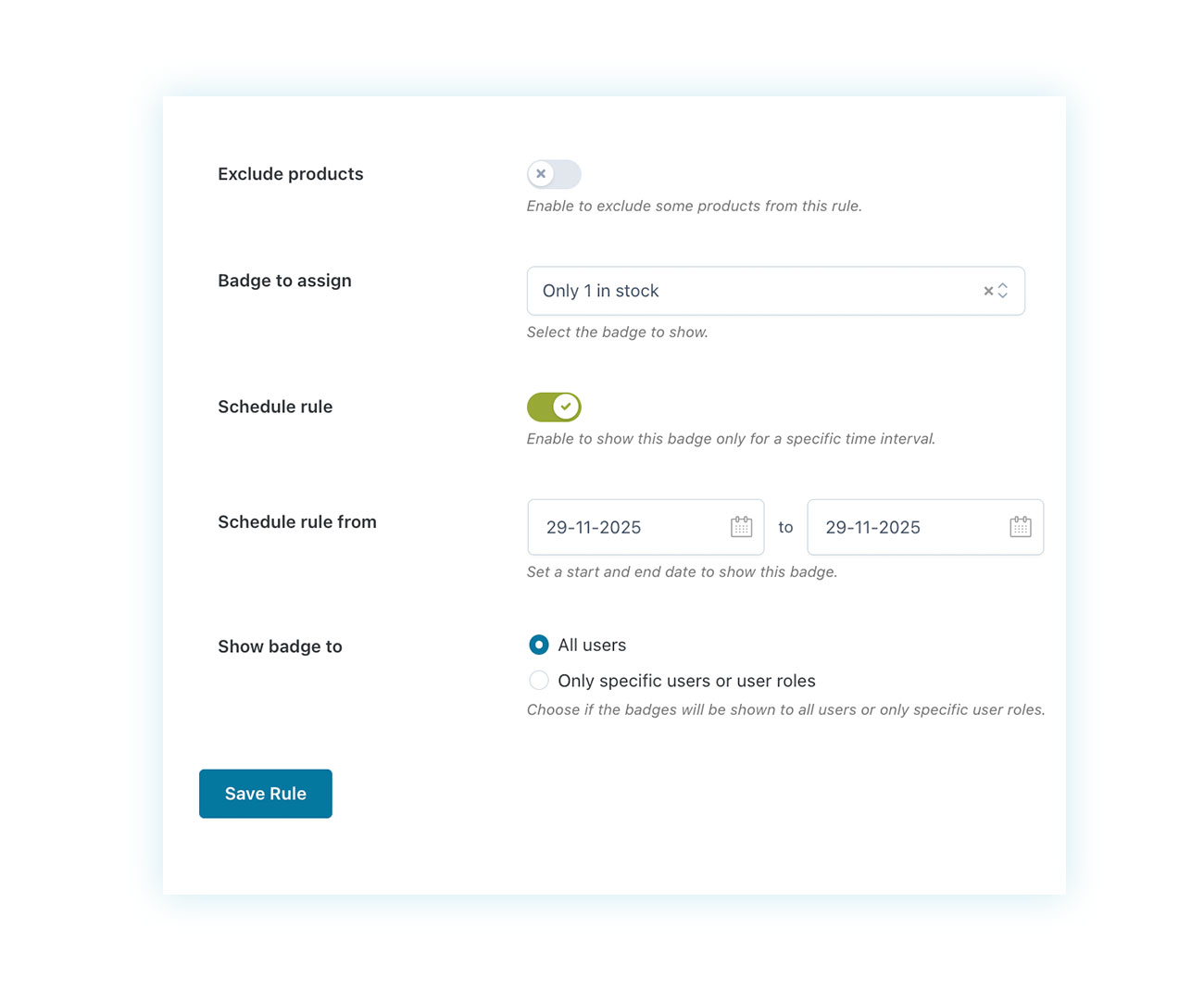
Once you’ve created custom badges, just choose which one you want to show on the product:
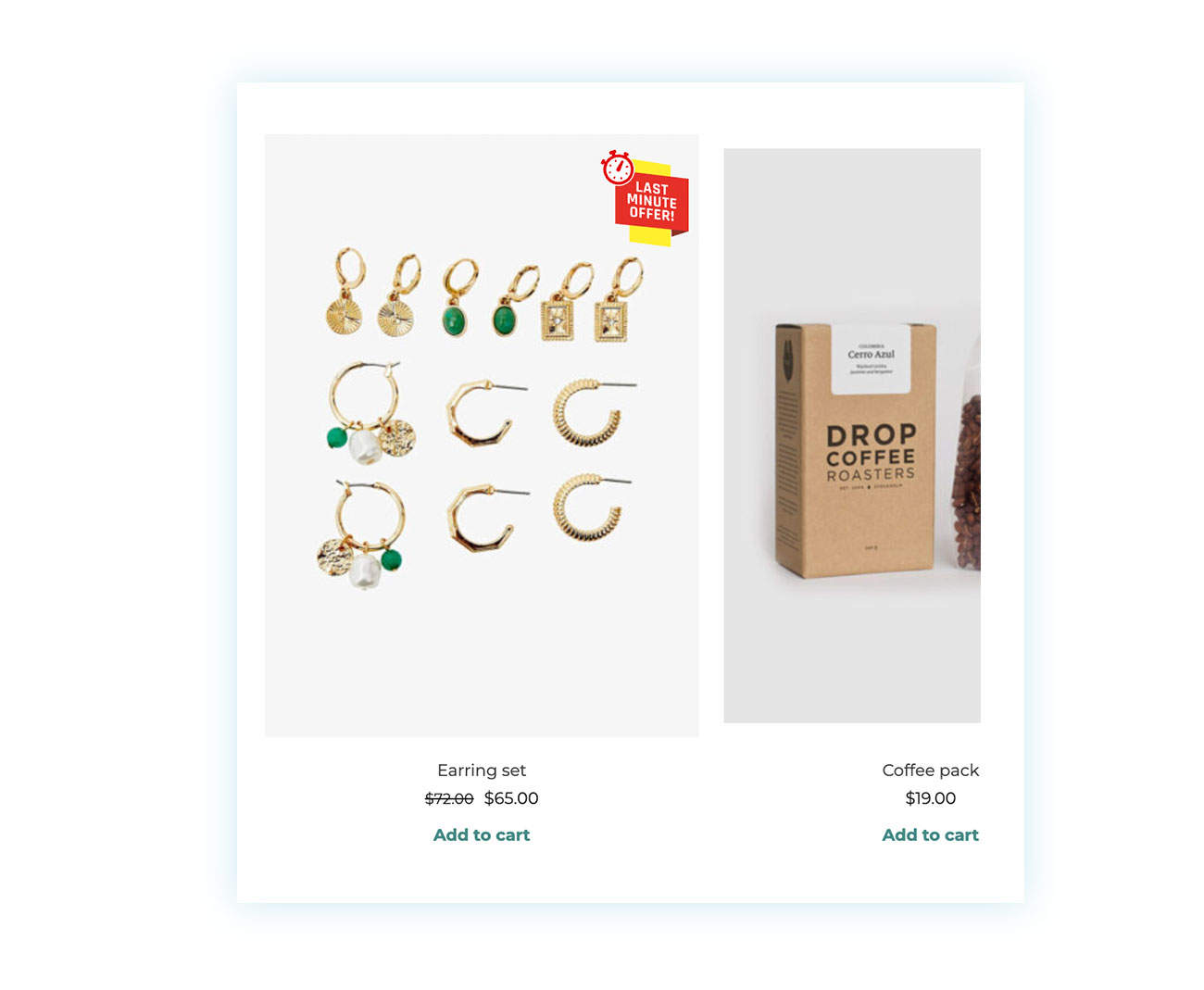
Everything will be automated, with the plugin making the badge appear and disappear based on the chosen time frame.
Strategy 3: The Tangibility of Savings (Advanced Badges)
Badges make it easy to see your products at a glance. They have a wide range of applications.
For example, if you create a promotion offering a 20% discount on the price of a product, WooCommerce will show that the product is discounted, along with the original price and the new price.
But, even though this information is important, it’s not all there. It doesn’t show the actual savings for the customer.
You could do this calculation on your own or with a calculator, but the more complicated you make the purchasing process, the more likely it is that customers will walk away or fail to understand the value of a promotion, rendering it ineffective.
That’s why we suggest assigning badges that clearly show how much the customer is saving with that purchase:
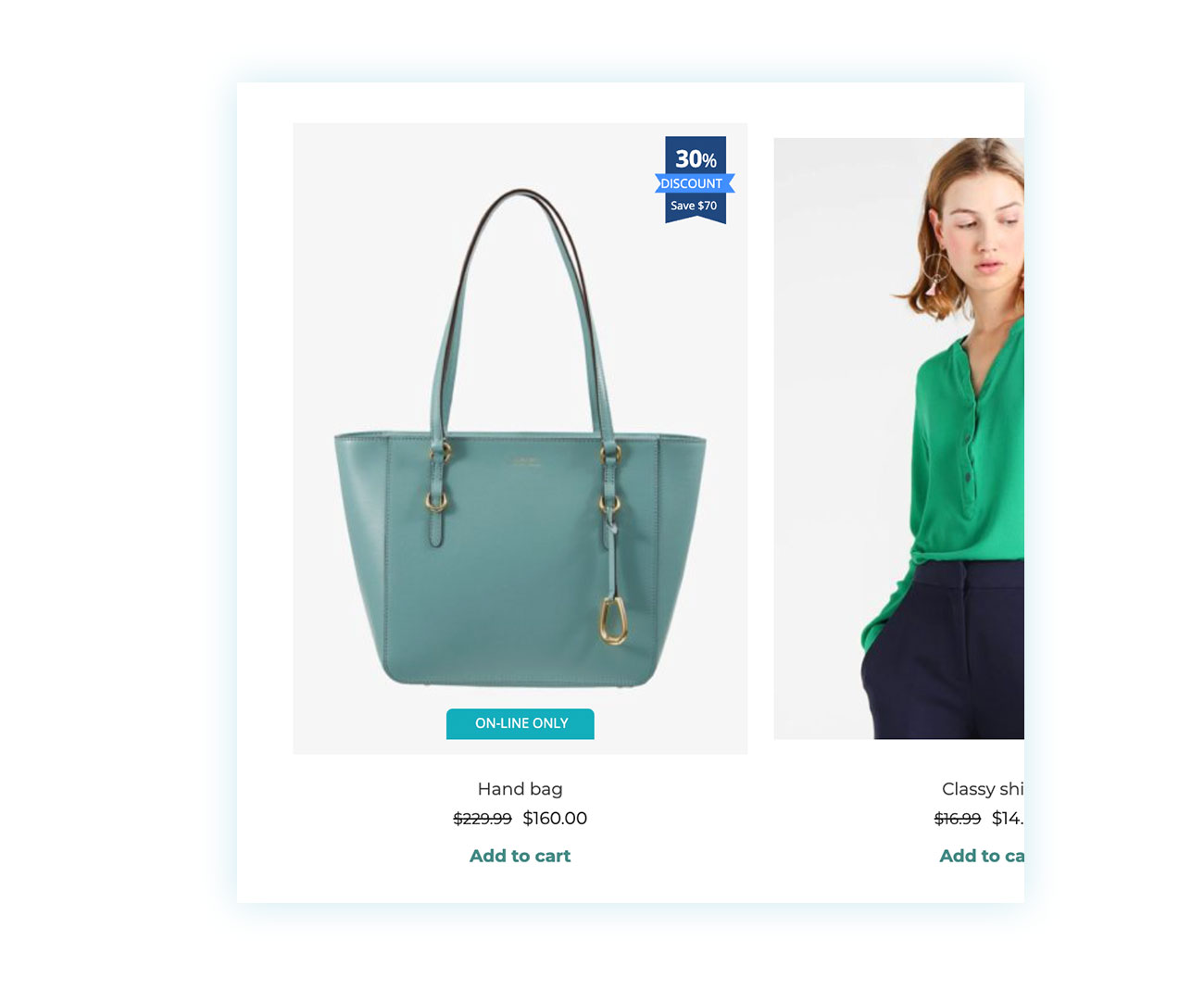
Strategy 4: Leveraging Complex Promotions (Dynamic Pricing Integration)
As we just saw, a promotion only works if the customer sees it, even the most sophisticated ones.
Luckily, YITH plugins work really well together. This means you can use YITH Dynamic Pricing for WooCommerce to offer promotions like buy one get one, and it’ll automatically recognize the promotion and apply the right rules:
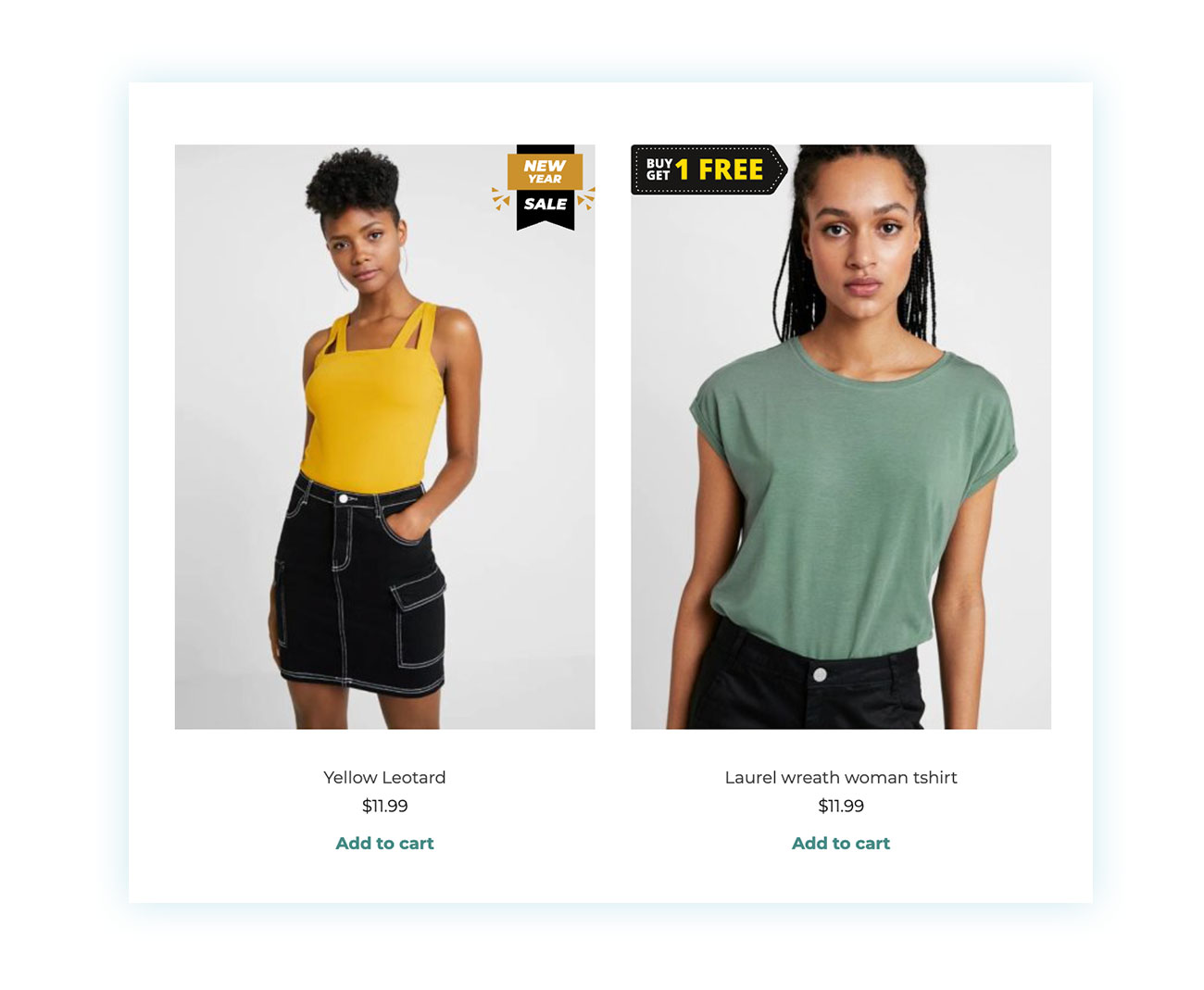
By displaying the offer before users enter the product page, they are encouraged to make purchases, which increases the value of the shopping cart.
Strategy 5: Visual Targeting for Specific Niches (Categories and Tags)
Another way badges can really make a difference is by showing off the main features of a product. These days, people are looking for specific visual cues: vegan, gluten-free, eco-friendly, plus-size, free shipping, and so on.
The plugin lets you choose which badge to display based on the category or product tag, so you can easily enhance your shop with this feature:
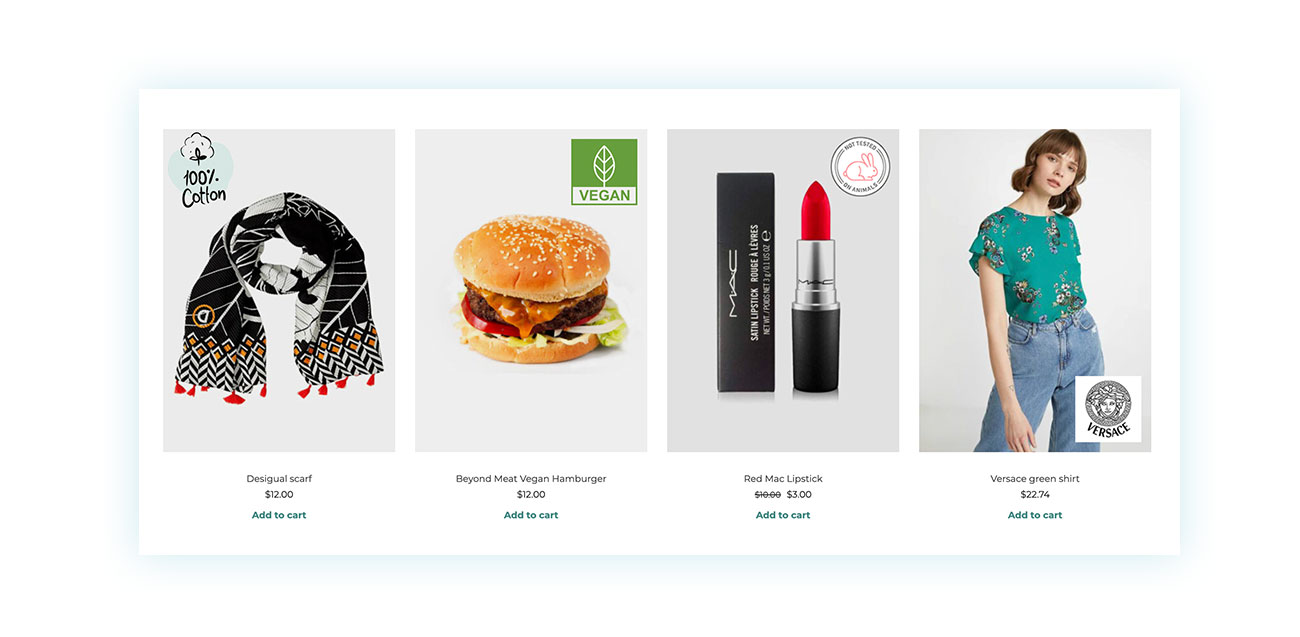
This makes the decision process faster: users instantly find what they’re looking for.
Total Customization: Stand Out from the Crowd
Here are a few final tips and suggestions:
- Avoid the typical badges for WooCommerce that everyone uses – They’re convenient and low-cost, but they’re not optimized and they’re too generic to get you meaningful results. Because it’s open source, its services are really popular, but sometimes not enough people are willing to use them.
- Use the product badges that allow you to:
- Drag and drop with a real-time preview.
- Option to upload your own images or use the 60+ badges included (Black Friday, Christmas, etc.).
- Mobile adaptability of the badge position (essential for not covering the product on small screens).
And don’t forget, more and more people are making purchases on their phones these days, so it’s crucial that your site is mobile-friendly!
Conclusion: Automate your eCommerce Sales
Badges aren’t just for show—they’re visual tools that guide attention, reduce indecision, and automate part of the sales process. With YITH WooCommerce Badge Management, you can make every visit to your shop a clearer, faster, and more effective journey.
With multiple badges, you can show the right info at the right time. Use scarcity to indicate when stock is running low, create urgency with a time limit, or immediately communicate the real value of a discount. This happens automatically, so there’s no need for manual input every single time.
The 3 steps to get started:
- Create a “Low Stock” badge to leverage scarcity.
- Create an “Advanced” badge to show savings in currency.
- Schedule your badges for holidays.
There’s no need for complicated strategies — just a few simple steps can make your shop more persuasive and improve your conversion rate.
Stop losing sales because customers can’t make up their minds. Boost your conversions now with YITH WooCommerce Badge Management.