 30 DAYS MONEY BACK GUARANTEE
100% refund if you are not satisfied
30 DAYS MONEY BACK GUARANTEE
100% refund if you are not satisfied




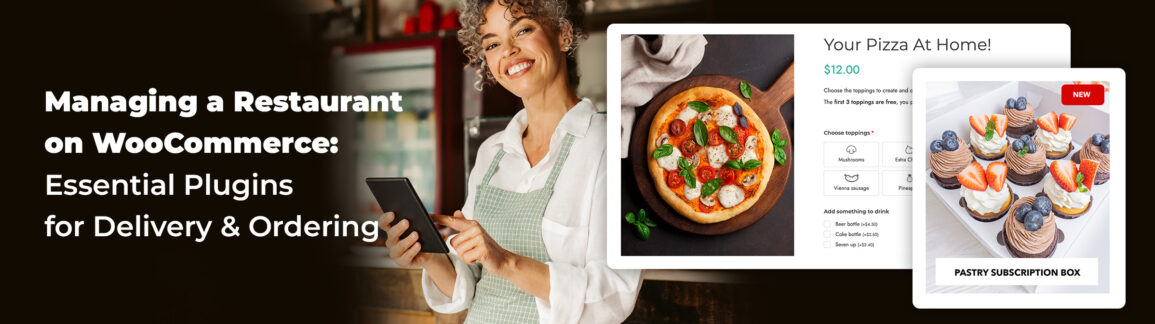
Do you own a restaurant or a business dedicated to food and wine products? Would you like to create an eCommerce site and expand your customer base exponentially?
This decision comes with challenges, and many new online sellers end up giving up. Don’t worry, though. In this article, we’ll explore how to manage a restaurant with WooCommerce, the necessary tools, and the advantages a website of this type can offer your business.
We offer a step-by-step guide on building an order page similar to Uber Eats to help you win over users and increase sales.
Table of contents
- Why selling food is different from selling T-shirts
- 1. Organize the kitchen and timing: Time slots and order limits
- 2. "No onion, double mozzarella": Managing variations and upselling
- 3. Recurring income: Create a food subscription box (Wine & Food Club)
- 4. The digital "Points Card": Building loyalty among hungry customers
Why selling food is different from selling T-shirts
The food businesses have their own set of unique challenges. The product is perishable, the customer is hungry now, and logistics have to be perfect (you can’t deliver a cold pizza). You also have to think about things that other businesses don’t have to deal with, like managing local pick-up (Click & Collect).
Unfortunately, WooCommerce doesn’t natively handle cooking times, extra ingredients, or kitchen workflow. Traditional online sales aren’t really designed for booking meals with delivery times and ingredient choices, which might make you think WordPress and WooCommerce aren’t the right solution for you. This could lead you to look into much more expensive alternatives.
You’ll be glad to hear that you don’t need expensive external platforms. With the right plugins, you can turn WordPress into a professional WooCommerce restaurant ordering system.
Here are the 5 essentials.
1. Organize the kitchen and timing: Time slots and order limits
Let’s take on the challenges of a restaurant one at a time.
The first has to do with how often orders are placed and deliveries are made. Unlike a regular business, it’s not the stock in the warehouse that determines how many purchases can be made, but the workload in the kitchen. This can create a bottleneck, which if not taken into account, can cause overloads, delays, and unhappy customers.
For example, you can’t accept 50 orders all set for 8:00 p.m.
So, what can you do? You’ll need to use the YITH WooCommerce Delivery Date plugin to set up an automated system of delivery time slots, deciding on a maximum number of orders for each slot. This way, you can focus on managing your workflow instead of calculating your route.
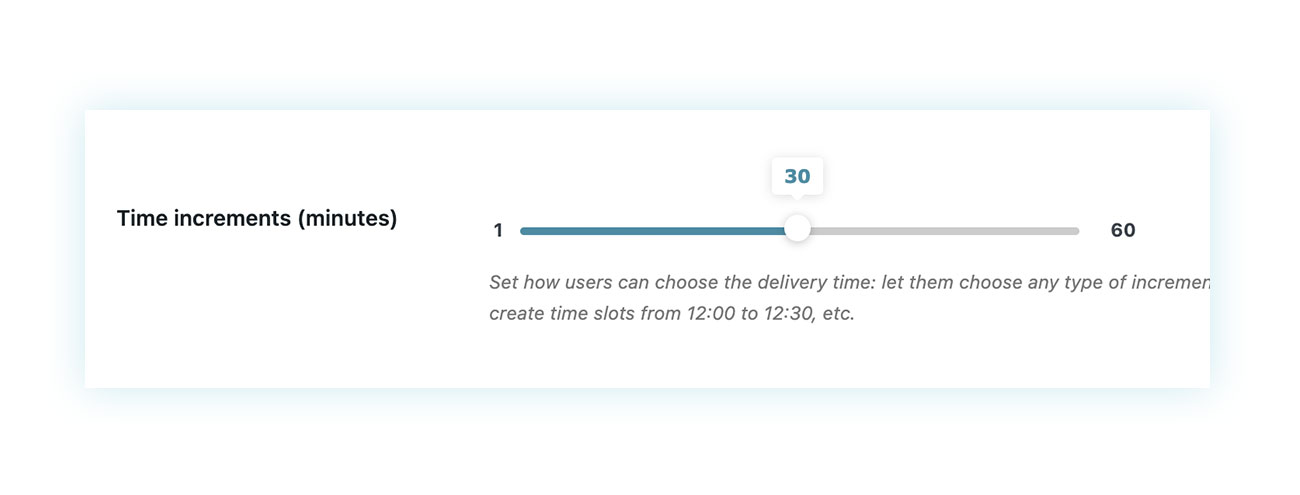
Once the WooCommerce plugin is installed and activated, you can decide how customers can choose their delivery time, based on customizable time increments:
You can add multiple delivery options and set up time slots by deciding how many orders you can prepare in each one:
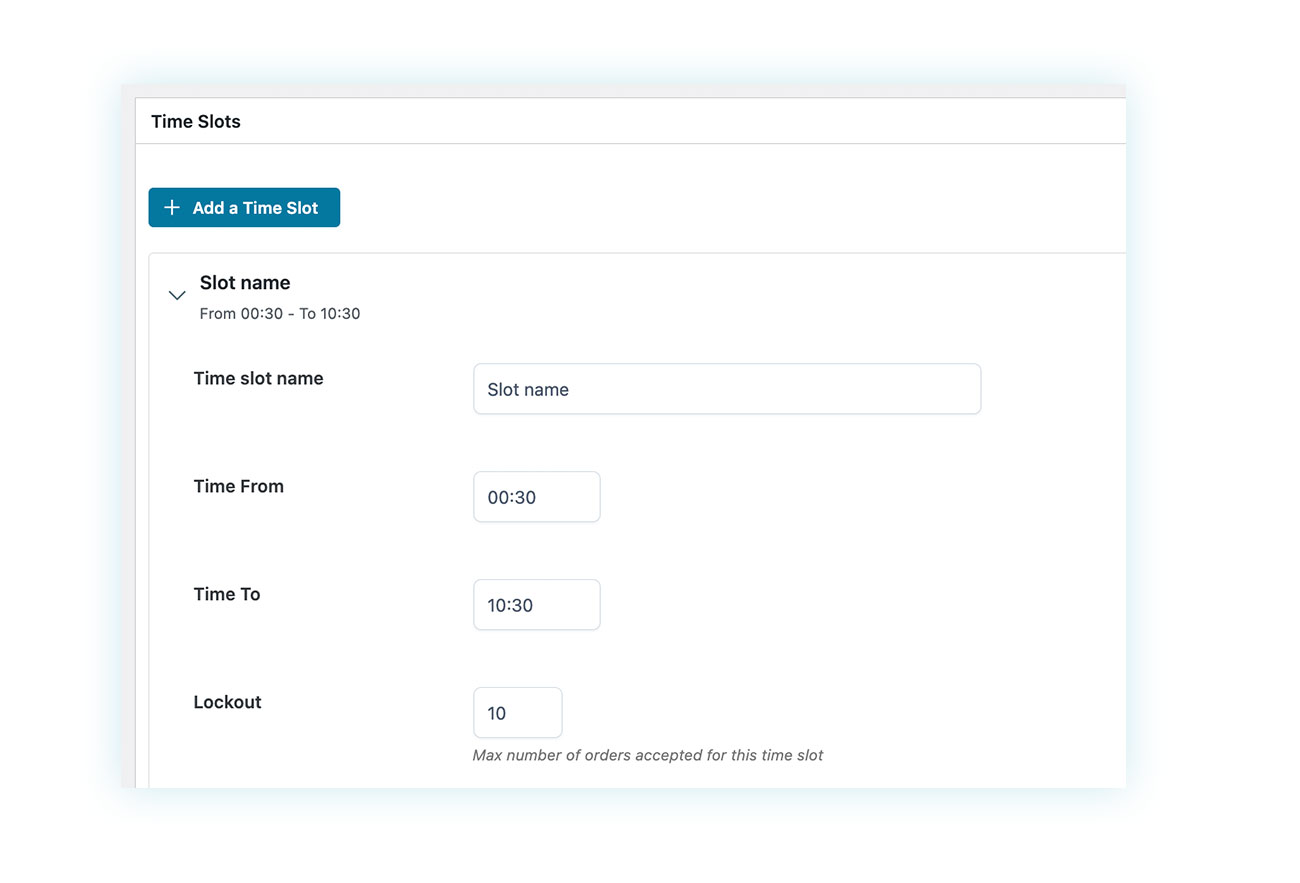
It’s as easy as that. With just a few minutes of configuration, you can create an automated system that will manage everything for you!
2. “No onion, double mozzarella”: Managing variations and upselling
Another key thing to think about is how your restaurant menu can offer different options for the same dish. For the example below, we decided to use a pizzeria, since that’s the kind of restaurant where changes are always being requested. But this is the case for all dishes.
In a time when people are very aware of allergens and eating styles, you’ve got to be able to customize your dish to keep your customers happy.
All the big players in the food delivery game use a similar system, and if you’re looking to add one to your website, check out the YITH WooCommerce Product Add-ons & Extra Options plugin.
How does it work? The plugin allows you to add extra fields and options to a product page. These options can be free or at an extra cost.
For example, you could create a “Red Pizza” product for $5, then let customers choose all the toppings using this plugin. That way, the price of the pizza reflects the customer’s choices, and they can customize it exactly how they want.
Here’s a page you can use as a template:
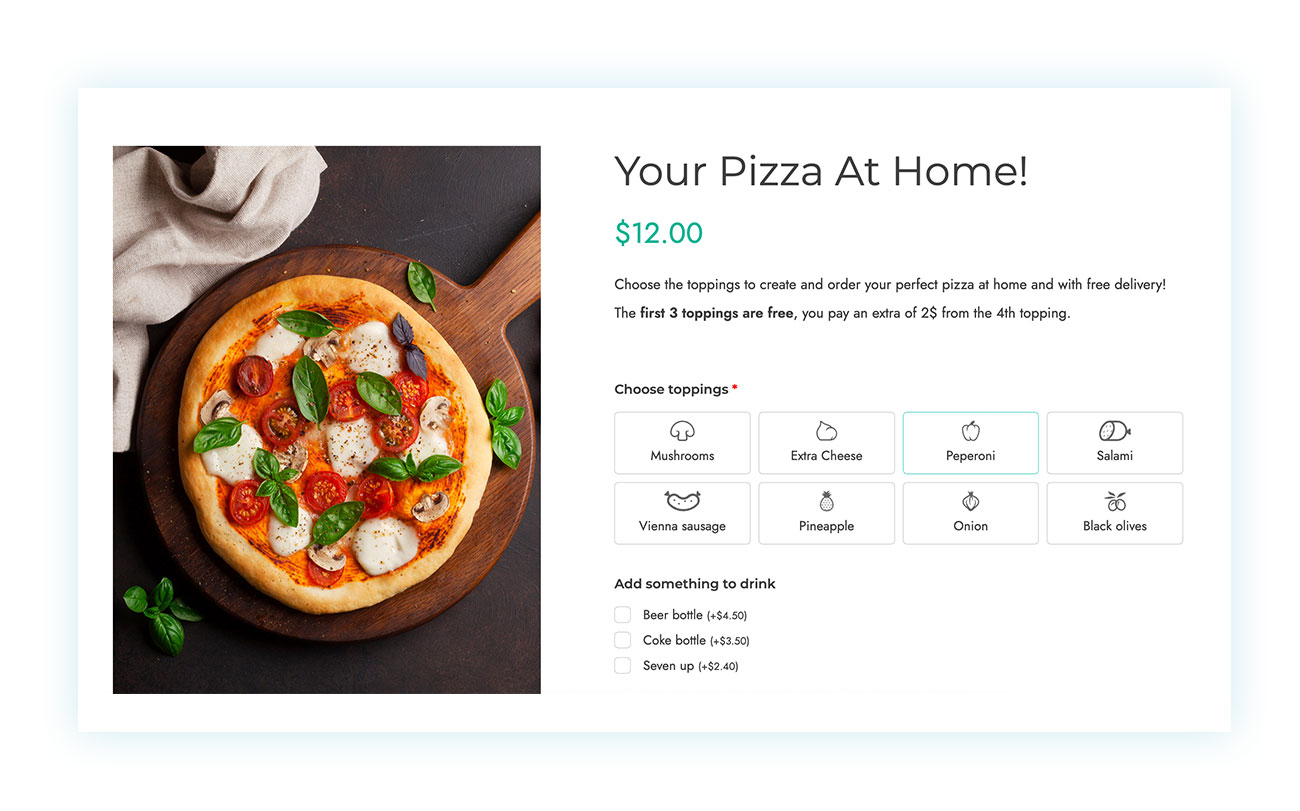
As you can see in the image above, the pizza comes with all the toppings you can choose from, including the option to add a drink to your order directly on the same page. Once the customer has customized their order, all they have to do is add the pizza to their cart and pay for it.
The result is totally automated and looks professional, with the customer’s choices showing up right in the order.
You can achieve all this with very little effort. All you have to do is create product-associated rules:
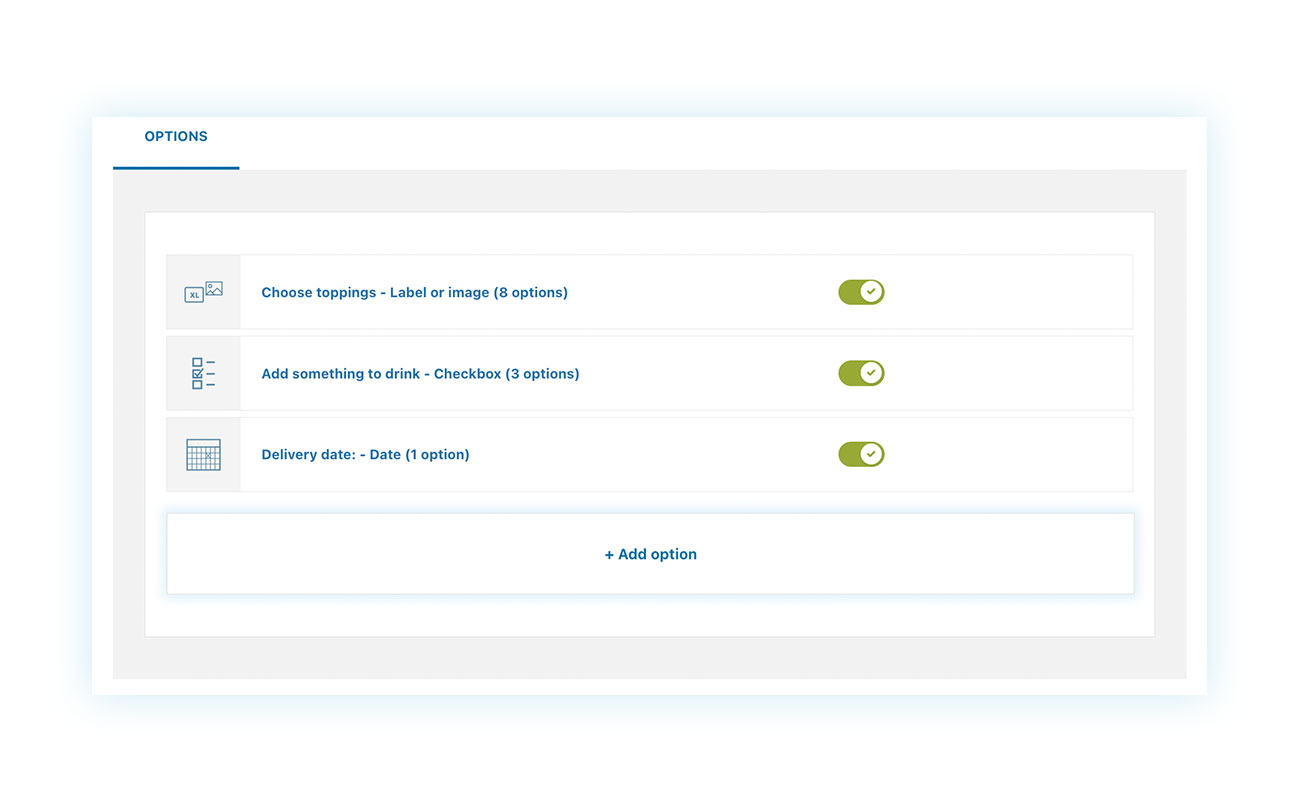
As you can see, we’ve added three different types of options: multiple choice for toppings, checkboxes for drinks, and delivery date.
But there are so many more things we could’ve added: choice of dough is very common nowadays, whether or not to include mozzarella, and much more. If you want to see how it’s done, check out our tutorial on creating a custom “Pizza Builder.”
You could get the same result by asking customers to add notes to their orders, but that’s less intuitive since it happens at checkout, which increases the risk of confusion when there are multiple products in the cart. Also, you can’t raise the price based on what the customer chooses.
3. Recurring income: Create a food subscription box (Wine & Food Club)
Subscription boxes are a huge hit in restaurants, bakeries, bars, and food and wine shops. These are subscriptions that let customers get boxes of food and/or wine at home on a regular basis.
Being part of this type of “club” really increases a customer’s value, with more orders to their credit over time.
But how can you offer a similar service on your website? It’s really simple: just use the YITH WooCommerce Subscription plugin.
The “subscription” model is booming in the WooCommerce food industry—think office coffee, monthly wine clubs, weekly vegetable boxes. If you’re not taking action, you’re going to fall behind.
This plugin lets customers subscribe to their favorite food and guarantees a steady income for your business.
For our example, we took a box of pastries:
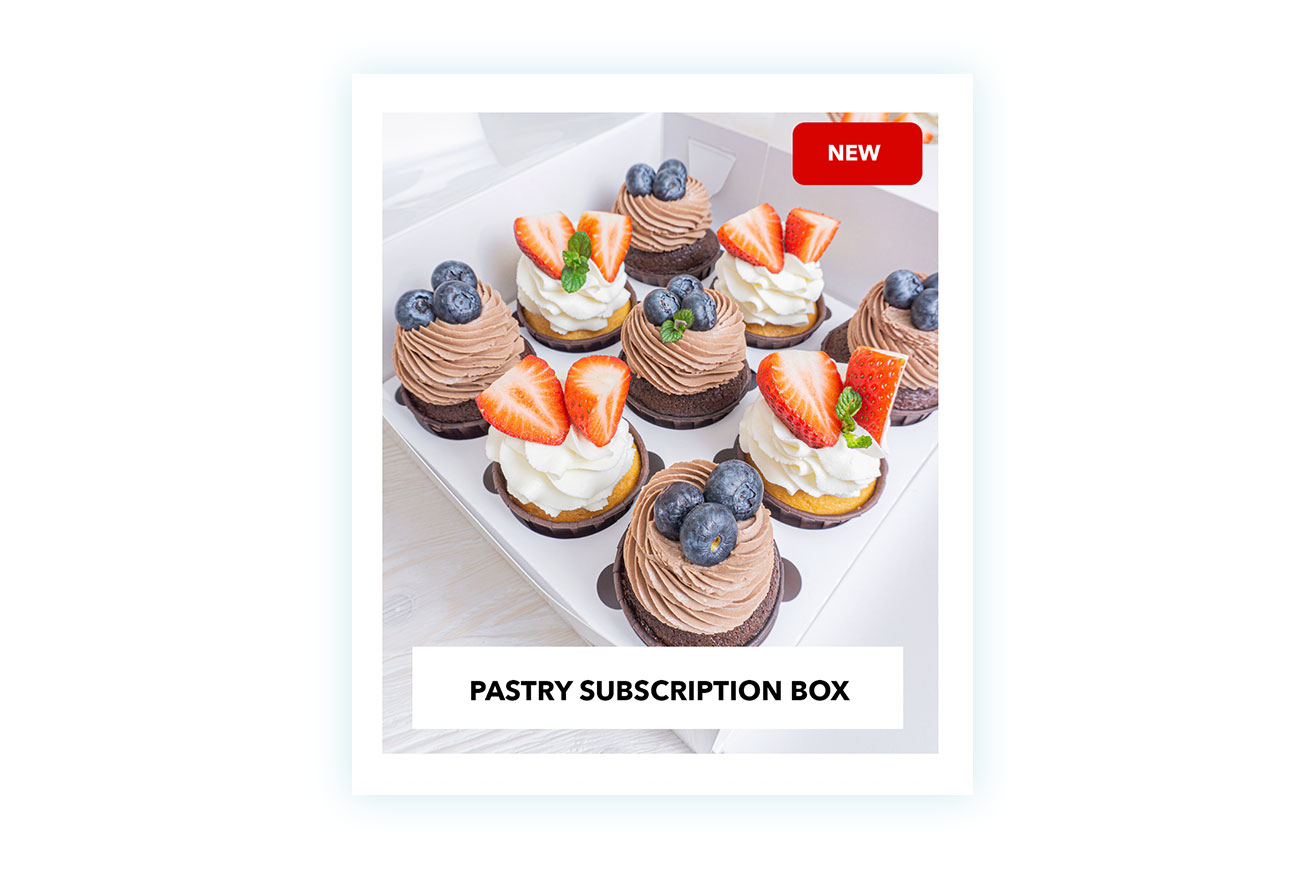
To create a similar product, all you have to do is install and activate the plugin. Then go ahead and create the Box product and choose “Box subscription” as an option:
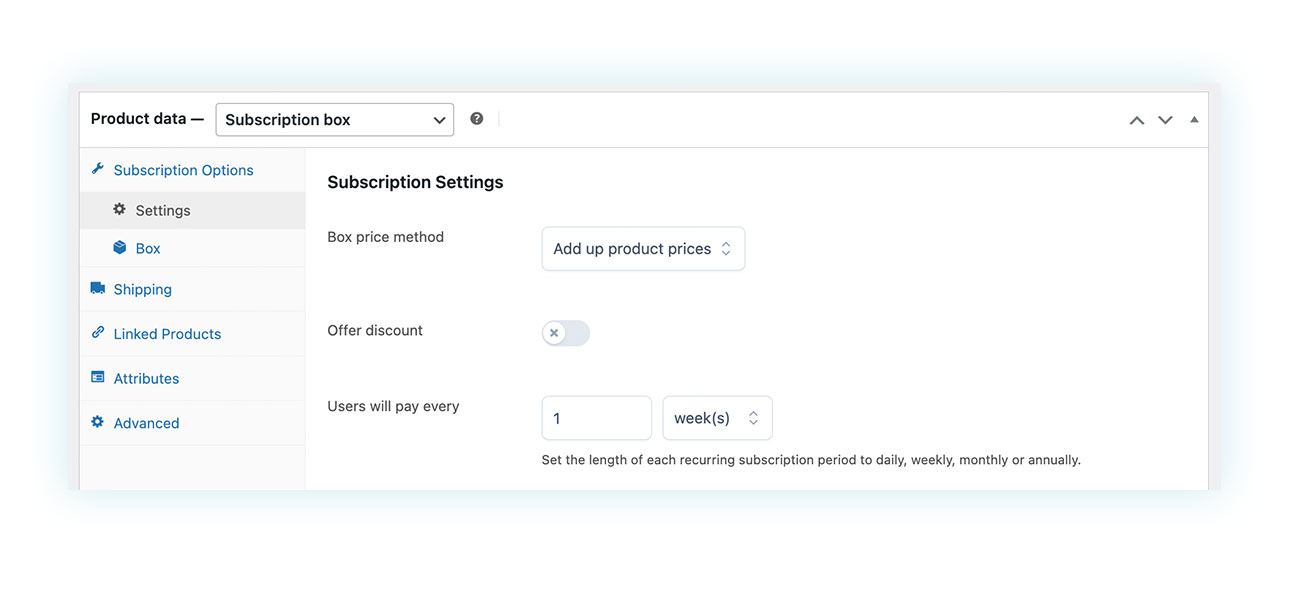
With this plugin, you can set how the box works. For example, you can choose how the cost is added up (like adding up the prices of the selected products) or if you want a discount (to get people to buy the box more often). You can also set the frequency and more.
Then you can add products to the box or have it automatically draw from product categories.
If you’re interested, you can also find our step-by-step guide to creating a Subscription Box on the website!
4. The digital “Points Card”: Building loyalty among hungry customers
Finally, we recommend one last plugin feature: the Loyalty Program. This feature is useful for most online stores, but there are some that particularly benefit from it.
These include supermarkets and restaurants/pizzerias, i.e., businesses where customer loyalty is rewarded more often.
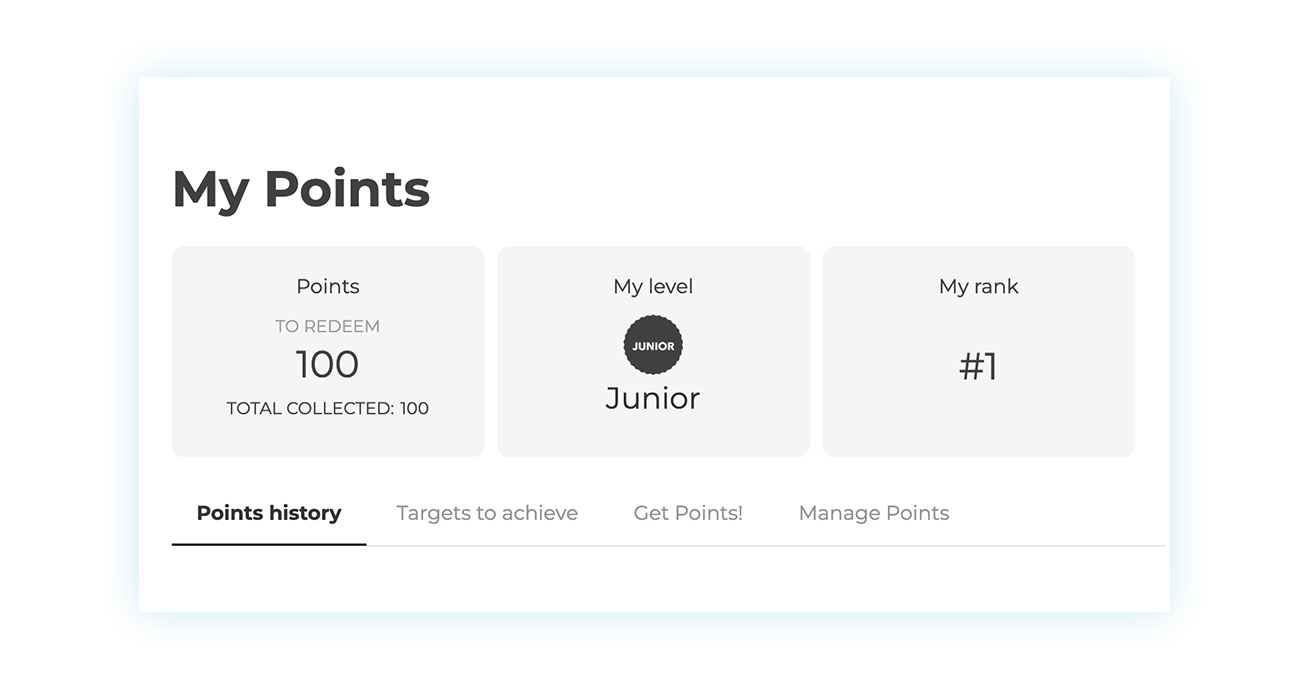
Loyalty cards are a great way to save some money. You can get discounts on your food, and sometimes even free meals. You can offer the same thing on your website with the YITH WooCommerce Points and Rewards plugin, which will help you stand out, even with fierce competition. The food industry is a highly competitive field. Customers order from wherever is cheapest or wherever they come across first. How can you get them to always come back to you? Try to make it so that switching costs something. If I’m close to getting a free pizza from you, I won’t order from your competitors tonight. It’s a very powerful psychological lever for delivery.
Points and Rewards lets you set up a loyalty program where points are automatically given out after each purchase:
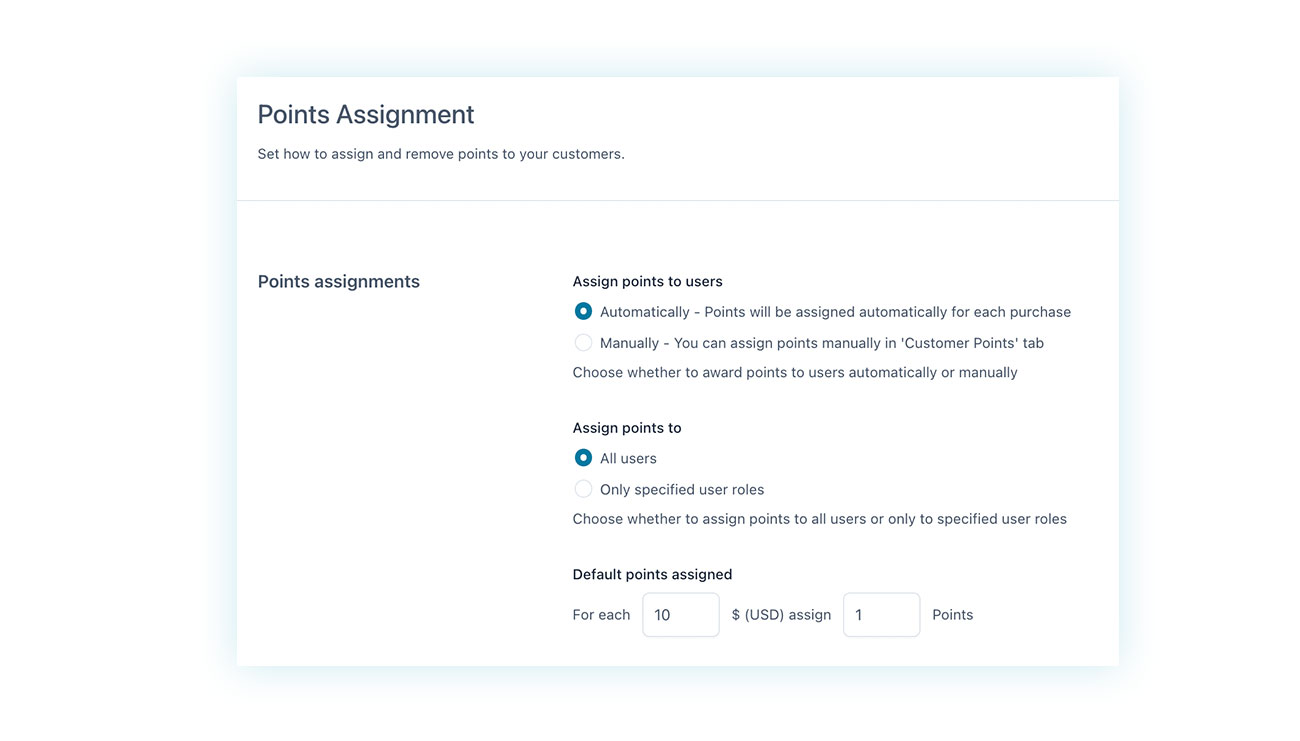
The plugin allows you to decide how points are assigned, whether automatically, manually, only for certain users or all users, and with what spending/points ratio:
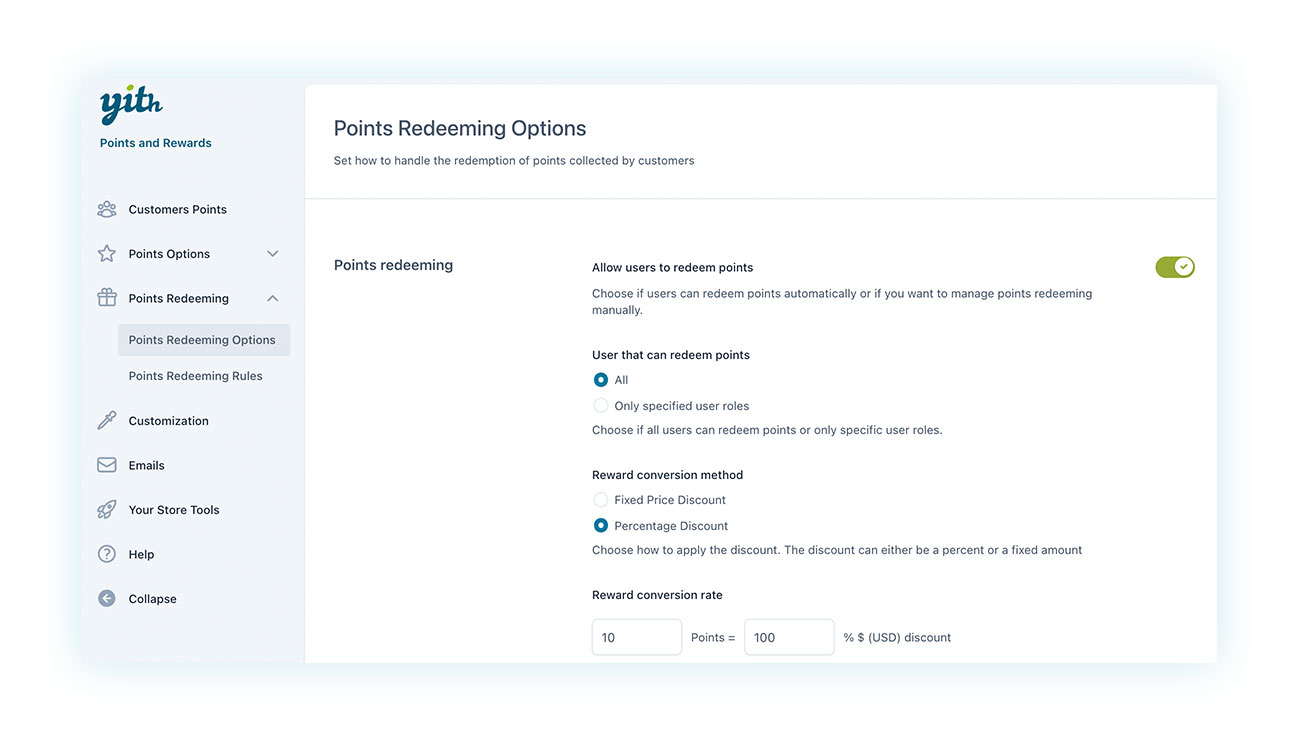
And also, how the user can redeem these and which discounts they can access to:
We’ve also got an article that’ll tell you exactly how to set up a points and rewards system.
Conclusion
In short, managing a restaurant with WooCommerce is not only possible, it can actually be a huge asset for your business. Just make sure to build a solid, user-friendly food ordering system that’s tailored to the needs of the industry, and you’re good to go.
Online food sales have their own rules, and ignoring them means wasting time, losing customers, and above all, missing out on opportunities. Investing money in a project that’ll never reach its full potential.
So it’s not enough to just open a shop with products like “Pizza Margherita – Add to cart.” There’s a lot more that needs to be done: we need an ecosystem that reflects the rhythms of the kitchen, the habits of your customers, and the logic of the most popular food delivery apps.
The tools we’ve seen let you transform WooCommerce from a platform for selling T-shirts into a legit system for managing orders, deliveries, customizations, and customer loyalty.
With Delivery Date, you avoid chaos in the kitchen; with Product Add-ons, you give customers the feeling that they’re “at the table” and telling the waiter their preferences for each dish; with Subscription, you create recurring revenue and a stable relationship with your best customers; and with Points and Rewards, you encourage them to come back again and again, just like a neighborhood restaurant that knows its regulars by name would do.
The result? It’s a WooCommerce shop that can hold its own against the big dogs, but you’ve got the reins the whole time. No high commissions, no delivery restrictions, and no platform that decides for you. It’s all about you, your brand, and your customers.
If you’ve made it this far, you’ve probably realized that creating a catering system with WooCommerce isn’t complicated. Just choose the right plugins and configure them with a little care.
What’s next? Put it all into practice. For every minute you delay, you could lose an order. Take charge of your online restaurant and turn it into a modern sales machine that’s a perfect fit for your kitchen. Good luck!